Lesson
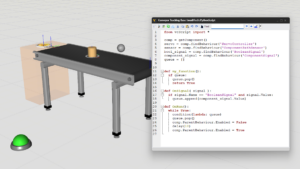
Learn the basics of the FactoryLens Add-on
COMPONENT MODELING | MODELING BASICS
This guide helps experienced users transition from legacy Robot and Servo Controller workflows to the Motion Controller in Visual Components 5.2. It explains key differences in robot programming, component modeling, process modeling, and connectivity, while introducing new capabilities such as multi-program management, Joint, Wait Async, and Call Program statements, parametric tool and base definitions, and improved handling of external axes. The manual also covers updated modeling workflows, driver-based motion control, updated modeling wizards, and connectivity configuration for Motion Controller robots.
Software Version: 5.2 or higher
Product: Premium, Professional, Essentials, Premium OLP, Professional OLP or Robotics OLP
0 answers.
Component Modeling
Learn how to use Mapping tool to apply texture on an object
Component Modeling
Learn how to use decal to add your own image or logo on a component
Component Modeling
Introduces how to use the most common behaviors while modeling a new component.
Component Modeling
Shows components with containers and clarifies the concept of container behavior and how it is used.
Component Modeling
Learn how to make alterations to geometry features by using the Boolean feature.
Component Modeling
In this tutorial, you will learn how to save an imported CAD or save a newly created component in Visual Component as a Component.
Component Modeling
Learning how geometry feature tools work.
Component Modeling
Learn how to import geometry from different CAD files and move them into one component.